Audible will not let you take your credits with you. Cancel a web-billed Premium membership with a few unspent credits and they are gone that day: Audible's Conditions of Use, last updated 10 September 2025, say credits "expire immediately upon the cancellation or termination of your membership" unless you have used them. So Audible credits expire at the exact moment you stop paying, and the bill for that lands on the careful subscribers, the ones who saved credits for a long series, prepaid for a year, or assumed a credit worked like money.
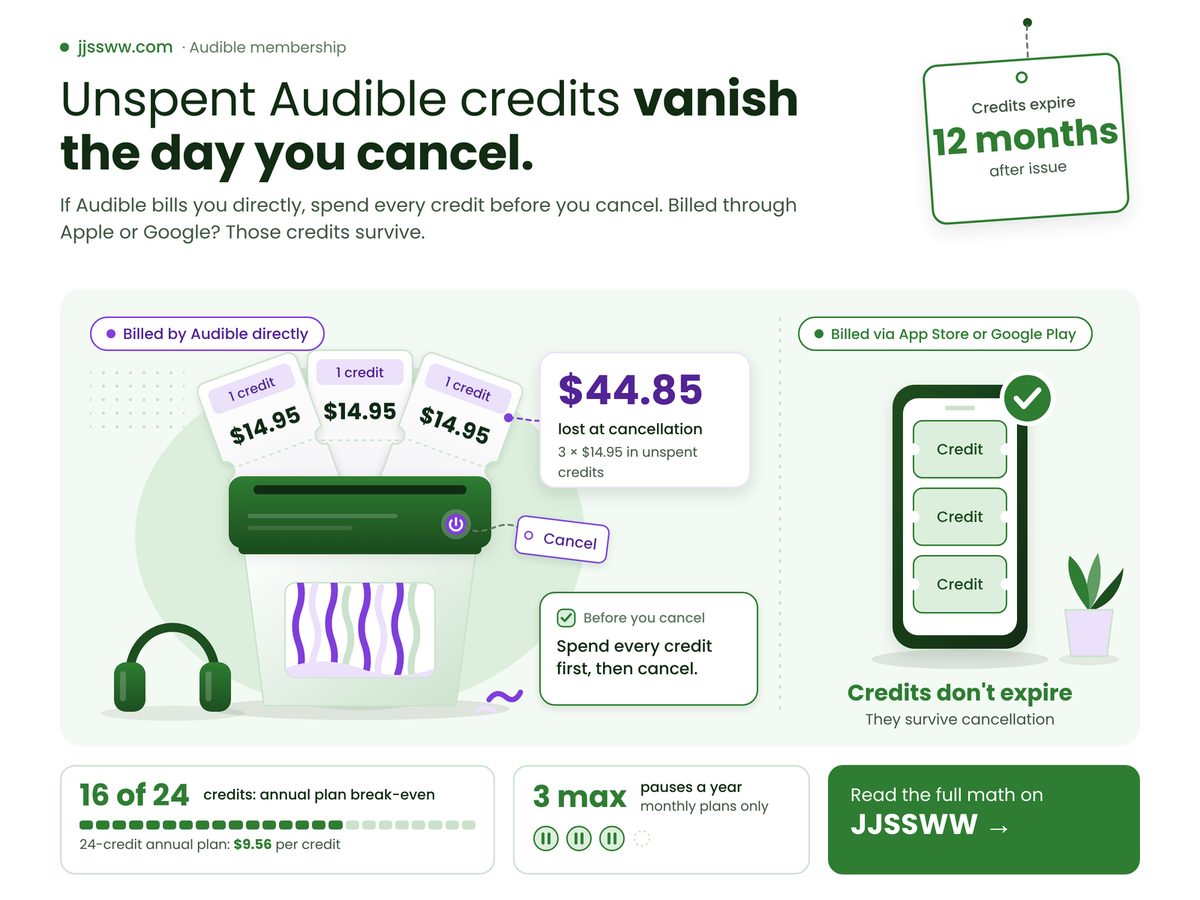
Key Takeaways: yes, if Audible bills you directly, unspent Premium credits vanish when you cancel, so spend them before you press the button.
- Credits billed through the App Store or Google Play survive cancellation; credits billed on audible.com do not.
- Even without cancelling, each credit lapses a year after it was issued, so spend the oldest first.
- Annual plans cannot be paused, and their cheaper credits only pay off if you use nearly all of them.
- Standard plan selections are listen-while-member only: cancel and they leave with the membership.
Do Audible credits expire if I cancel?
Yes, if Audible bills you directly: its cancel-membership help page, dated 6 May 2026, says credits expire 12 months after their issue date or upon cancellation, so anything unspent on cancel day is lost.
The same page carves out one group. Credits from App Store or Google Play memberships "don't expire," Audible says, and they stay on the account after cancelling. Same plan and books, opposite outcome. Our view: that is a penalty attached to a payment route, and web-billed members are the ones carrying it.
What a credit is worth depends on the plan. Audible's US plans page, as of October 2026, sells Premium Annual at $149.50 for 12 credits or $229.50 for 24, against one credit a month on monthly Premium. Divide either annual price by its credits and each credit gets cheaper, but only if you spend them all before they lapse.
Spotify has the mirror-image gap, where you cannot pause Spotify Premium at all, but a Spotify account holds no stored balance to forfeit. And no federal rule makes Audible refund what you leave behind: the FTC's click-to-cancel rule, vacated in 2025, dealt with how easy leaving must be, not with what you keep.
Four figures decide whether cancelling costs you anything: the credit lifespan from the cancel help page, the pause limit from Audible's pause help page dated 9 September 2026, and two sums of our own built from the October 2026 plan prices.
Credit Lifespan
12 months
From issue, cancelled or not
Cheapest Credit
$9.56
Derived: 24-credit annual, if fully spent
Pauses a Year
3 max
Monthly plans only, annual barred
Annual Break-even
16 of 24
Derived: spend fewer, monthly was cheaper
The break-even card is the one to sit with. Until you pass that line, an annual bundle has only prepaid what monthly billing would have charged. The real saving is the late credits, the very ones still unspent when the clock runs out.
On the biggest annual bundle, the first two-thirds of your credits only buy back the discount. The saving sits in the last third, which is precisely what expiry or a cancellation takes.
Who loses, and what should you do before cancelling?
Web-billed members with banked credits lose most, annual payers lose the discount they prepaid for, and Standard members lose their whole library, while anyone billed through Apple or Google keeps every unspent credit.
Worked example: picture a monthly Premium member billed on audible.com who has let three credits pile up. The assumptions: Premium at $14.95 a month on Audible's US plans page as of October 2026, no promotional credits, and a cancellation before any credit is spent. The sum is 3 × $14.95 = $44.85, gone at cancellation. Your own version is the one check worth a minute: multiply your credit balance by your plan's per-credit price, and that is what cancelling today costs you.
| If you | Do this | Because |
|---|---|---|
| Pay monthly online | Spend credits, then cancel | Unspent credits lapse that day |
| Pay via Apple | Cancel in phone settings | Those credits never expire, Google too |
| Pay yearly | Spend all; pausing is barred | Each lost credit: $12.46 on 12-credit plan |
| Use Standard | Treat picks as rentals | 1 pick a month, no rollover |
| Are undecided | Pause, if billed monthly | Needs 30 paid days first |
Only one row loses nothing, and it turns on a billing choice made long ago. Your card statement settles which row is yours: a charge from Apple or Google, not Audible, puts you in the second.
Spend at least 11 of the 12 annual credits before they lapse, or the annual plan cost you as much as paying monthly would have. Derived from Audible's US plan prices as of October 2026: the annual price buys exactly ten monthly credits.
Pausing, Standard picks and the wrong cancel button
Pausing looks like the escape hatch, but Audible's pause help page limits it to monthly plans and caps how often and how long you can step away, so it cannot rescue every credit.
Pauses come in 30-day steps, up to 90 days in any year, and "Annual memberships are not eligible," in the page's own words. While paused you keep the credits you already hold, get no new ones and pay nothing. What the page never says is whether a paused credit's expiry clock stops. Our read, and it is only a read: assume it keeps running, and spend any credit close to its first birthday before you pause.
Standard, at $8.99 a month on the same plans page, is the plan where nothing survives. Its selections play only "while you remain a member," and unused monthly selections don't roll over. Standard members don't own a library; they borrow one, or rather rent it, since the meter runs every month. Kindle buyers learned the same lesson when Amazon made sure you cannot download Kindle books you bought to a computer anymore, and Audible is an Amazon company.
- Deleting the Audible app cancels nothing.
- A membership billed by Apple or Google cannot be cancelled on the Audible website; cancel it in that store's subscription settings.
- Books bought with a credit stay yours after cancelling, but downloaded Plus Catalog titles lock.
- Stopping the charge at your bank is blunt: banking-app subscription cancelling works for a shortlist of merchants, and it never spends your credits for you.
Before you press cancel, check these
- Your credit balance is zero, or you have picked what each remaining credit will buy.
- Your statement names Audible as the merchant; if it names Apple or Google, your credits survive anyway.
- No credit is close to a year old, if you plan to pause rather than cancel.
- You pay monthly, if you are counting on a pause at all.
Our call: spend every credit this week, then cancel, unless your statement shows Apple or Google as the merchant, in which case cancel whenever suits you. It is wrong in one case: if nothing in the store is worth a credit to you, cancel and take the loss. Check your balance and billing route on Audible's cancel membership page before you press anything.
How we checked this
We read Audible's Conditions of Use (last updated 10 September 2025), its cancel membership help page (6 May 2026), its pause help page (9 September 2026) and the US plans and pricing page (accessed 23 October 2026). The worked example assumes web billing, US prices as of October 2026 and no promotional credits. No product was tested hands-on for this article.
Last verified: 23 October 2026
Edited by Kiruba, reviewed after publication. Spotted something out of date? Tell us and we will correct it.
No comments
Post a Comment